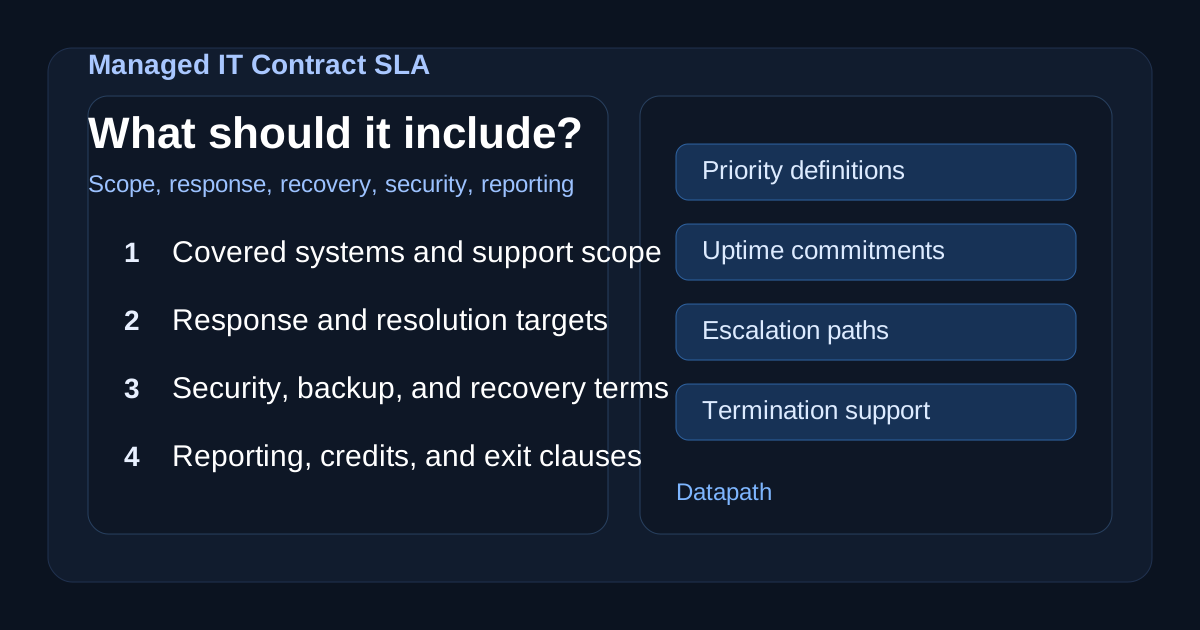

What does a managed IT contract SLA usually include?
A managed IT contract SLA usually includes the service scope, systems covered, support hours, ticket priority definitions, response and resolution targets, uptime commitments, security responsibilities, patching standards, backup and recovery expectations, reporting cadence, exclusions, escalation paths, and termination terms.123 The point is to turn “we support your IT” into something measurable, enforceable, and operationally useful.
That matters because many companies buy managed services expecting comprehensive accountability, then discover too late that the contract only guarantees acknowledgment of a ticket, not restoration of service. We think the best SLA is not the one with the most pages. It is the one that makes ownership obvious before there is an outage, missed patch, security event, or vendor dispute.
If your team is comparing providers, this topic fits naturally with our managed IT services overview, our resources and guides library, and related buying guidance like What to Ask in the First MSP Vendor Call, How to Compare Managed IT Pricing: Fixed Fee vs Per-User vs Tiered, and How to Validate Managed Service Responsiveness After Hours.
Why does the SLA matter so much in a managed IT contract?
The SLA matters because it defines how service quality will actually be measured after the sales process ends. A general managed services agreement may cover commercial terms, liability, and billing, but the SLA is the part that tells you what the provider will do, how quickly it will do it, what counts as success, and what happens if performance slips.34
We usually tell buyers to treat the SLA like the operating manual for the relationship. If the provider says it offers proactive monitoring, after-hours support, security management, backup coverage, and strategic accountability, the SLA should explain exactly what those claims mean in practice. Without that detail, buyers end up managing ambiguity instead of managing risk.
What service scope should the SLA define?
A strong SLA should define which services are included, which systems are in scope, what support channels are available, which hours are covered, and what responsibilities stay with your internal team.245 This section should be painfully clear, because scope confusion is one of the fastest ways for a managed IT relationship to go sideways.
At a minimum, the SLA should identify:
- supported users, locations, and business units
- covered infrastructure, endpoints, cloud services, and network devices
- whether servers, Microsoft 365, firewalls, backups, and line-of-business apps are included
- whether monitoring includes remediation or only alerting
- whether vendor coordination is included
- whether project work is covered or billed separately
- what the client must provide for the SLA to apply
We think this is especially important for mid-market organizations with mixed environments. If your MSP supports Microsoft 365 but not identity governance, or manages firewall health but not rule changes, that boundary needs to be explicit. A vague “fully managed” promise is not enough.
What response and resolution times should a managed IT SLA include?
A managed IT SLA should include both response time and resolution time targets by priority level, not just one generic promise to “respond quickly.”123 Response time measures how fast the provider acknowledges and starts triage. Resolution time measures how fast service is actually restored or a workaround is delivered.
That distinction matters because a contract that promises a 15-minute response but says nothing about restoration can still leave a business offline for hours longer than expected. We prefer SLAs that define clear severity levels and map each one to both response and resolution expectations.
A typical priority model might look like this:
| Priority | Example issue | Typical response target | Typical resolution target |
|---|---|---|---|
| Critical | Companywide outage, major security incident, EHR or core-business system down | 15 minutes | 4 hours |
| High | Major user group affected, degraded critical workflow | 1 hour | 8 business hours |
| Medium | Single department issue, limited operational impact | 4 business hours | 1-2 business days |
| Low | Routine request, non-urgent support need | 1 business day | 3-5 business days |
The exact numbers vary by environment, but we think the structure matters more than the template. Buyers should ask:
- When does the clock start?
- Do targets run 24/7 or only during business hours?
- What pauses the clock?
- What counts as “resolved” versus “acknowledged”?
- Which issues trigger immediate escalation?
Those details often tell you more about a provider’s maturity than the headline response time alone.
What uptime and availability commitments should the SLA define?
The SLA should define uptime expectations for critical systems, any maintenance windows, excluded events, and how availability is measured.146 For many environments, 99.9% uptime is used as a starting point, but the real question is whether that target matches the business impact of downtime.
For example, a healthcare group, school district, or financial services firm may care less about a generic network-availability number and more about whether core workflows remain usable during business-critical windows. We encourage buyers to push beyond broad availability language and clarify:
- which systems have uptime guarantees
- whether cloud vendors or third-party platforms are included
- whether planned maintenance counts against uptime
- what redundancy or failover assumptions the provider relies on
- whether service credits apply when uptime is missed
If the provider advertises resilience and continuity, the SLA should connect those claims to measurable expectations.
What security responsibilities should appear in the SLA?
A managed IT SLA should spell out security responsibilities for patching, monitoring, alert review, incident escalation, privileged access, backup oversight, and any compliance-sensitive controls the provider manages.1247 Security language should not be hand-wavy. It should identify ownership clearly enough that nobody has to guess during an incident.
We usually want to see the SLA answer questions like:
- How quickly are critical, high, and medium patches applied?
- What systems are monitored for alerts and by whom?
- Does the provider investigate suspicious activity or only forward alerts?
- Who owns incident communication and escalation?
- How is privileged access controlled and reviewed?
- What encryption, MFA, or logging standards are expected?
- What parts of compliance support are included versus advisory only?
This is especially important for regulated organizations. A provider can absolutely help support HIPAA, financial-services, or K-12 control requirements, but the SLA needs to say whether the MSP is actually operating those controls, documenting them, or merely recommending them.
What should the SLA say about backups and disaster recovery?
The SLA should define backup scope, backup frequency, retention assumptions, restore testing expectations, recovery priorities, and any stated RPO or RTO targets.124 We do not think “backups included” is meaningful unless the contract explains what is actually being protected and how recovery works.
A practical backup and recovery section should clarify:
- which systems and data sets are backed up
- how often backups run
- where copies are stored
- how long data is retained
- whether immutable or isolated copies exist
- how often restore testing happens
- target recovery point objective (RPO)
- target recovery time objective (RTO)
- who coordinates recovery during a disruption
This is one of the easiest places for expectations to drift. Many buyers assume the MSP owns full recovery readiness when the provider only owns backup-job monitoring. That gap becomes painful during ransomware events, cloud-service failures, or infrastructure outages.
What reporting and governance terms should the SLA include?
The SLA should include a defined reporting cadence, the metrics the provider will share, escalation paths, service review expectations, and how open issues are tracked over time.134 If the provider is supposed to be accountable, the contract should explain how accountability gets reviewed.
We like to see monthly or quarterly service governance that covers:
- SLA performance against response and resolution targets
- recurring incident trends
- unresolved risk items
- patching and backup exceptions
- security events and escalations
- infrastructure recommendations
- project dependencies and blockers
- service-credit events, if any
A buyer should not need to reconstruct service quality from scattered tickets. Good reporting gives leadership a way to govern the relationship instead of hoping everything is fine.
What exclusions should buyers watch for?
Buyers should watch for exclusions around projects, after-hours work, vendor coordination, major upgrades, onsite support, security remediation, compliance work, and recovery services.126 Exclusions are not automatically bad, but hidden exclusions are.
We think one of the most useful contract-review exercises is to ask the MSP how these scenarios are handled:
- a line-of-business application fails after hours
- a Microsoft 365 compromise triggers urgent remediation
- a firewall replacement is needed
- a vendor finger-points and coordination is required
- a major Windows or cloud migration is needed
- an executive wants onsite support during an outage
If the answer to each one is “that depends,” the SLA is probably not specific enough.
What remedies or service credits should the SLA include?
A mature SLA should explain what remedy applies if the provider misses material service targets, including any service credits, escalation requirements, or corrective-action process.146 The goal is not to nickel-and-dime the provider. The goal is to make the accountability model real.
We generally prefer contracts where missed targets trigger a defined review and a documented response instead of vague language saying credits may be available upon request. Even if the dollar amount is small, a measurable remedy signals that the provider takes performance obligations seriously.
What should the SLA say about termination and transition?
The SLA should define notice periods, termination conditions, documentation handoff expectations, credential transfer, cooperation during provider transition, and any offboarding fees or limits.248 This is one of the most overlooked sections in managed IT contracts.
We think buyers should always ask what happens if the relationship ends. A clean answer should cover:
- what documentation is returned
- how admin credentials are transferred
- whether knowledge transfer is included
- how long transition support lasts
- whether there are extra charges for exporting documentation or backups
- what access is revoked and when
If the provider is reluctant to define an exit path, that is a warning sign. Strong MSPs do not fear clarity.
What are the biggest SLA red flags in a managed IT contract?
The biggest SLA red flags are vague scope, “best effort” language, response targets without resolution targets, weak security commitments, undefined exclusions, and no clear exit support.124 Those patterns usually signal either immature operations or a contract designed to protect ambiguity.
We would be cautious if an SLA:
- says “24/7 support” without explaining what 24/7 means
- promises response times but never defines restoration targets
- includes security language with no patching or incident commitments
- says backups are covered but does not define testing or restore ownership
- provides no service-review cadence or reporting metrics
- makes exclusions hard to find
- offers no transition support on termination
None of those issues automatically kill a deal, but they should trigger sharper questions before signature.
How should buyers evaluate whether an SLA is actually strong?
A strong SLA should make it easy for a buyer to understand what is covered, what is measured, who owns what, and how the provider will behave under pressure.346 If a non-technical executive, IT leader, and operations stakeholder all read it and come away with the same understanding, that is a good sign.
We usually recommend testing the SLA against real operational scenarios instead of reviewing it only as legal text. Walk through a security incident, a line-of-business outage, a failed restore, a major after-hours issue, and an offboarding event. If the contract does not tell you how those situations are handled, it is not ready.
That evaluation also pairs well with broader MSP diligence around managed IT pricing comparisons, clinical-workflow SLA review, and questions to ask in your first MSP vendor call.
Why Datapath for managed IT accountability and contract clarity?
We think the best managed IT relationships are built on explicit ownership, realistic service expectations, and operating discipline that holds up when things get messy. That means clearer scope, clearer accountability, stronger security hygiene, and cleaner escalation paths than a generic “all your IT for one fee” promise.
If your organization is reviewing MSPs and wants a sharper lens for service quality, start with the Datapath homepage, our managed IT services overview, our resources and guides library, or talk with our team about where weak SLAs usually create risk in real environments.
Frequently Asked Questions
What is usually included in a managed IT contract SLA?
A managed IT contract SLA usually includes service scope, covered systems, support hours, priority levels, response and resolution times, uptime expectations, security responsibilities, backup and recovery terms, reporting, exclusions, and termination language.136
Is response time the same as resolution time?
No. Response time is how quickly the provider acknowledges and begins triage. Resolution time is how quickly service is actually restored or a workable fix is delivered.123
Should a managed IT SLA include cybersecurity obligations?
Yes. A strong SLA should define patching timelines, monitoring responsibilities, incident escalation, backup oversight, and any security controls the provider manages so ownership is clear before an incident occurs.124
What is the biggest SLA mistake buyers make?
The biggest mistake is assuming broad managed-services language means full accountability. Buyers should verify scope, exclusions, resolution targets, recovery expectations, and transition support instead of relying on generic promises.
Sources
- Managed IT SLA: What To Demand From Your MSP
- Managed IT SLA: What To Demand From Your MSP
- Service Level Agreement (SLA) examples for IT support: A guide
- 11 Critical SLAs Your Managed Services Agreement Must Include in 2025
- What is SLA (Service Level Agreement)?
- 8 Essential Service Level Agreements Example Templates for 2026
- Service Level Agreement: Best Practices for MSPs
-
Managed IT SLA: What To Demand From Your MSP ↩ ↩2 ↩3 ↩4 ↩5 ↩6 ↩7 ↩8 ↩9 ↩10 ↩11 ↩12
-
Managed IT SLA: What To Demand From Your MSP ↩ ↩2 ↩3 ↩4 ↩5 ↩6 ↩7 ↩8 ↩9 ↩10
-
Service Level Agreement (SLA) examples for IT support: A guide ↩ ↩2 ↩3 ↩4 ↩5 ↩6 ↩7
-
11 Critical SLAs Your Managed Services Agreement Must Include in 2025 ↩ ↩2 ↩3 ↩4 ↩5 ↩6 ↩7 ↩8 ↩9 ↩10 ↩11
-
8 Essential Service Level Agreements Example Templates for 2026 ↩ ↩2 ↩3 ↩4 ↩5